Data Science for Business Applications

Class 11 - Random Forest

Review on Decision Trees

  • What kinds of models do we know how to make?
  • Classification or Regression
  • We can use decision trees for either kind of \(Y\) variable.

Pros & Cons of Decision Trees

  • Main Advantages:
    • Easy to interpret and explain (you can plot them!)
    • Mirrors human decision-making
    • Can handle qualitative predictors (without need for dummies)
  • Main disadvantages:
    • Accuracy not as high as other methods
    • Very sensitive to training data (e.g. overfitting)
    • Biased toward dominant classes

What we can do to improve?

  • Improve accuracy?

  • Less sensitive to random changes in the data?

  • More relevance for low-frequency classifications?

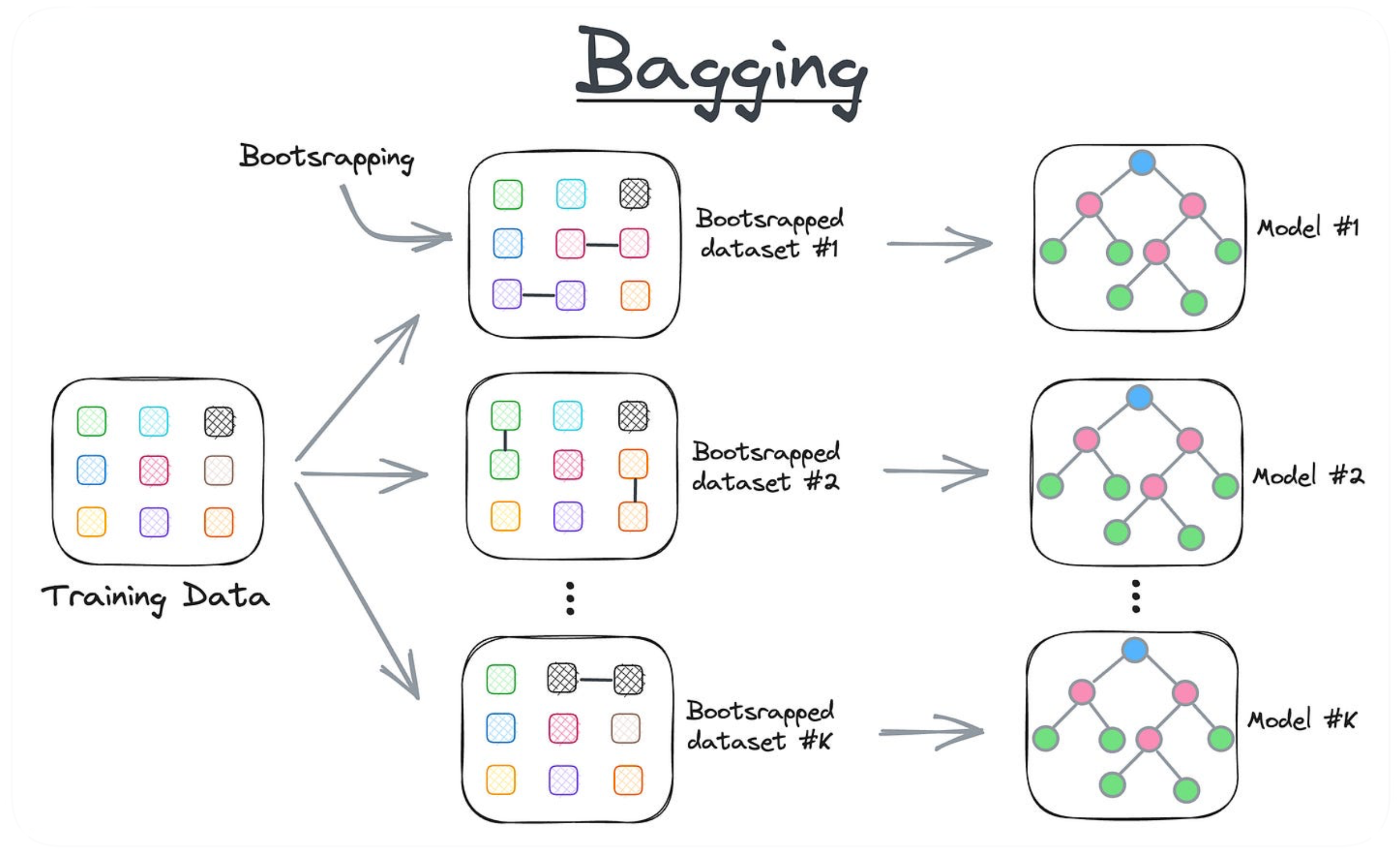
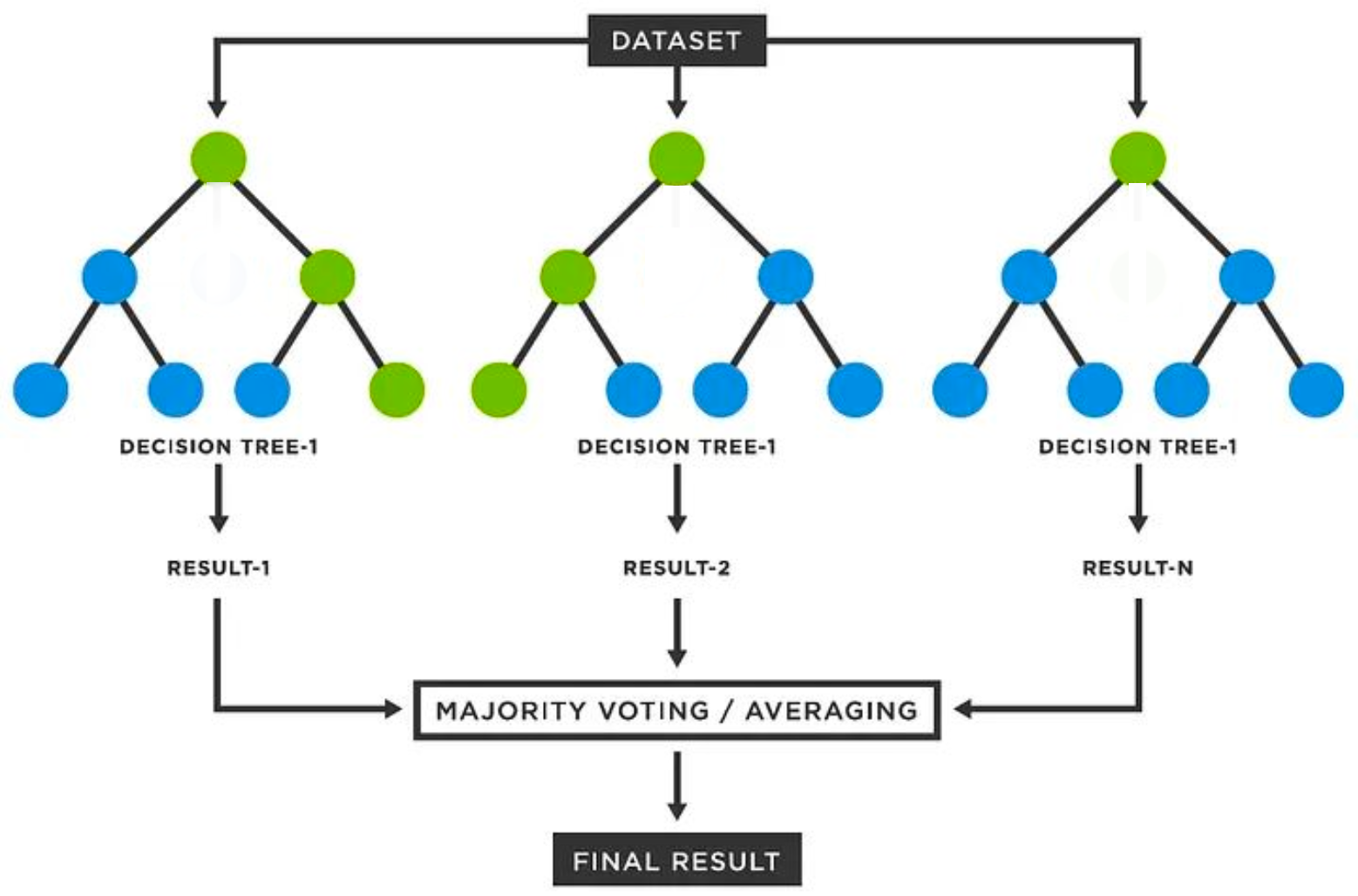
  • Solution: Bagging - Bootstrap Aggregation

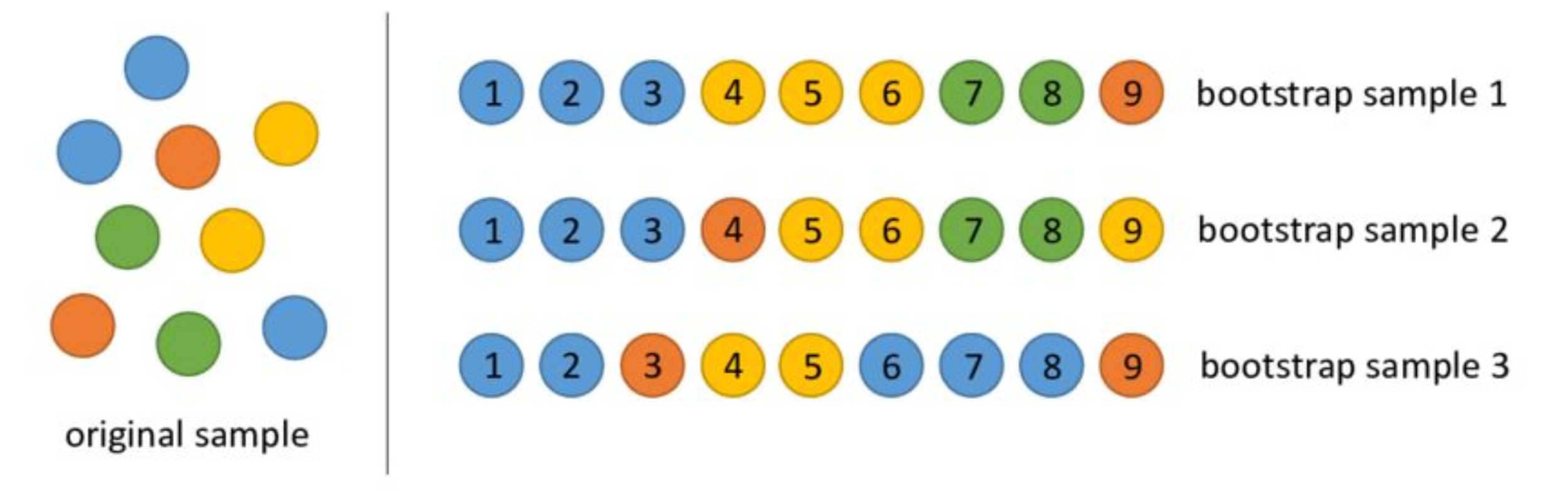
    • Bootstrap - quantify sampling variability by resampling from the sample.
    • In Bagginig we basically we use bootstrap on the data and then we aggregate the results.

Bootstrap & Resampling

  • Sampling with replacement: each case selected for the sample is then replaced.

  • Every bootstrapped sample may have its own pattern of ties and omissions.

Bagging

  • Aggregate the results from the method applied to each bootstrap sample.
  • This is also known as an ensemble, or combining the results of multiple models.

Bagging & Ensembling

  • You want to predict on new test data.
  • For classification, take the majority vote!
  • For regression, take the mean or mode!

Random Forests

  • Random sampling of my training data rows helps to reduce variation in my predictions that are due to randomness.

  • We saw last week: sometimes the importance of individual variables can change from dataset to dataset, and therefore from model to model.

  • What if we random sample the columns (variables) as well as the rows?

Random Forests

  • Considering the Titanic data

  • We again predict if the passenger survived (yes, no) - Categorical Variable

  • Classification model

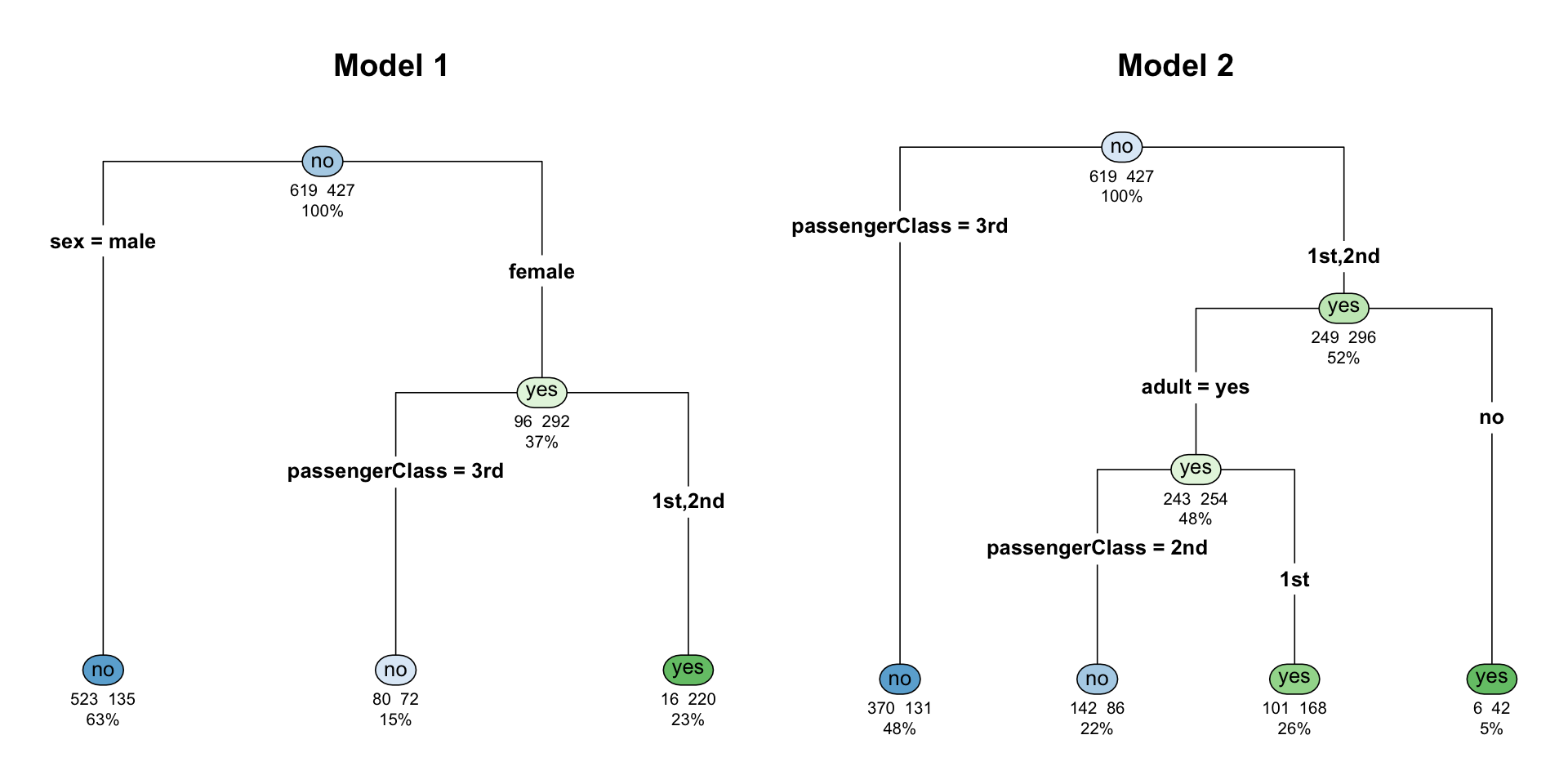
  • Before, I had sex as the variable defining the first split.

  • In my new trees, what if I only give the option for passengerClass and adult?

Random Forests

Let’s build a Random Forest (RF) in R

library(randomForest)
# Run the model
model1 = randomForest(survived ~ adult + sex + passengerClass, data = titanic_age)
# Show details on the model
print(model1)

Call:
 randomForest(formula = survived ~ adult + sex + passengerClass,      data = titanic_age) 
               Type of random forest: classification
                     Number of trees: 500
No. of variables tried at each split: 1

        OOB estimate of  error rate: 20.55%
Confusion matrix:
     no yes class.error
no  580  39  0.06300485
yes 176 251  0.41217799
  • In an instant, we built 500 trees.
  • We only had 3 variables, so the RF only needed to try one at each split, and grow the tree.
  • OOB (Out-of-Bag) error rate: 20.46%
  • (580+252)/1046 = 0.795

Classification Error estimates

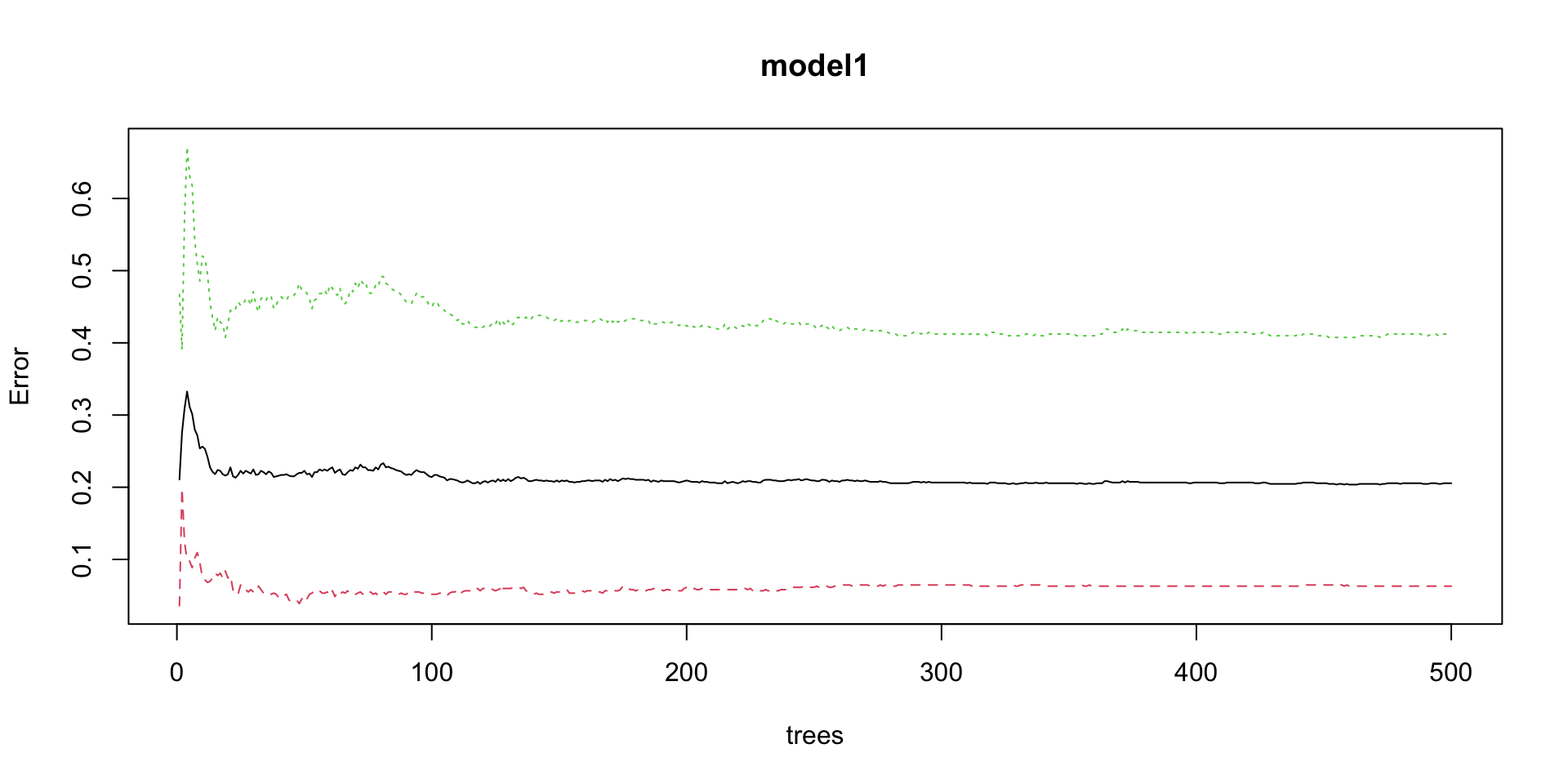
plot(model1)
  • The plot shows how the error change given more trees are generated.
    • OOB (black line)
    • Among passengers who did not survive, the error in prediction (red line)
    • Among passengers who did survive, the error in prediction (green line)

Feature Importance

  • Feature (or variable) importance is an output from random forests.
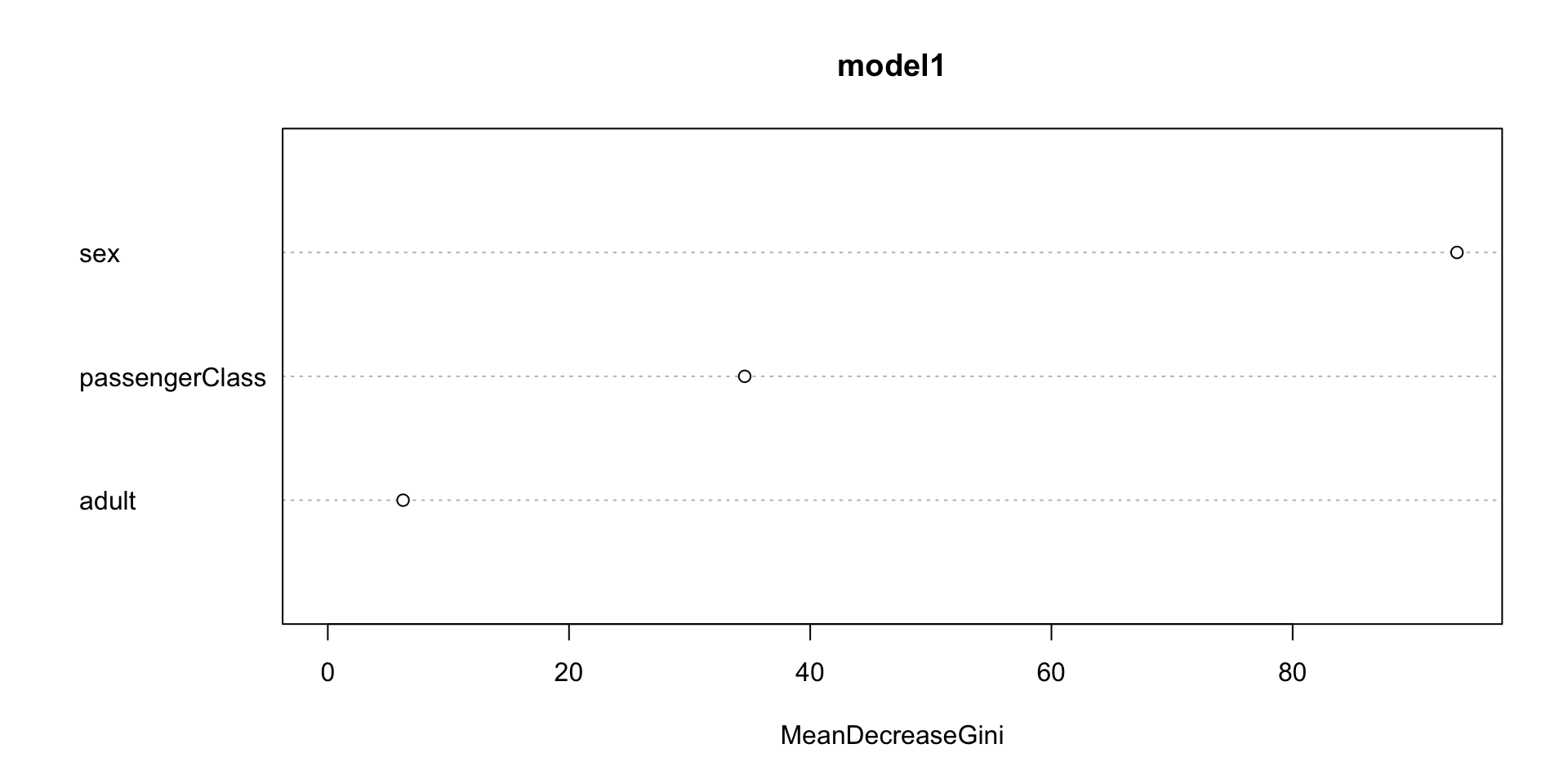
  • In this case sex was by far most helpful as the first divide in the trees.
  • Adult was the least important variable in terms of predicting survival.
importance(model1)
               MeanDecreaseGini
adult                  6.241061
sex                   93.624871
passengerClass        34.567394
  • The Mean Decrease in Gini: measures how much each variable contributes to reducing uncertainty when the trees are built in the random forest.

  • A higher value means the variable is more important for making accurate classifications.

Feature Importance

  • The importance of the variable on the split can also be displayed in a plot.
varImpPlot(model1, sort = TRUE)

Random Forest for Regression

  • In this model we’ll now predict the Age of the passengers given class, gender, if they survived or not.
# Run the model
model2 = randomForest(age ~ sex + passengerClass + survived, data = titanic_age)
# Show details on the model
print(model2)

Call:
 randomForest(formula = age ~ sex + passengerClass + survived,      data = titanic_age) 
               Type of random forest: regression
                     Number of trees: 500
No. of variables tried at each split: 1

          Mean of squared residuals: 172.4933
                    % Var explained: 16.89
  • The MSE is given by 173.036, or RMSE = \(\sqrt{173.036}\) = 13.15
  • Variation explained 16.63 (similar to the \(R^2\))

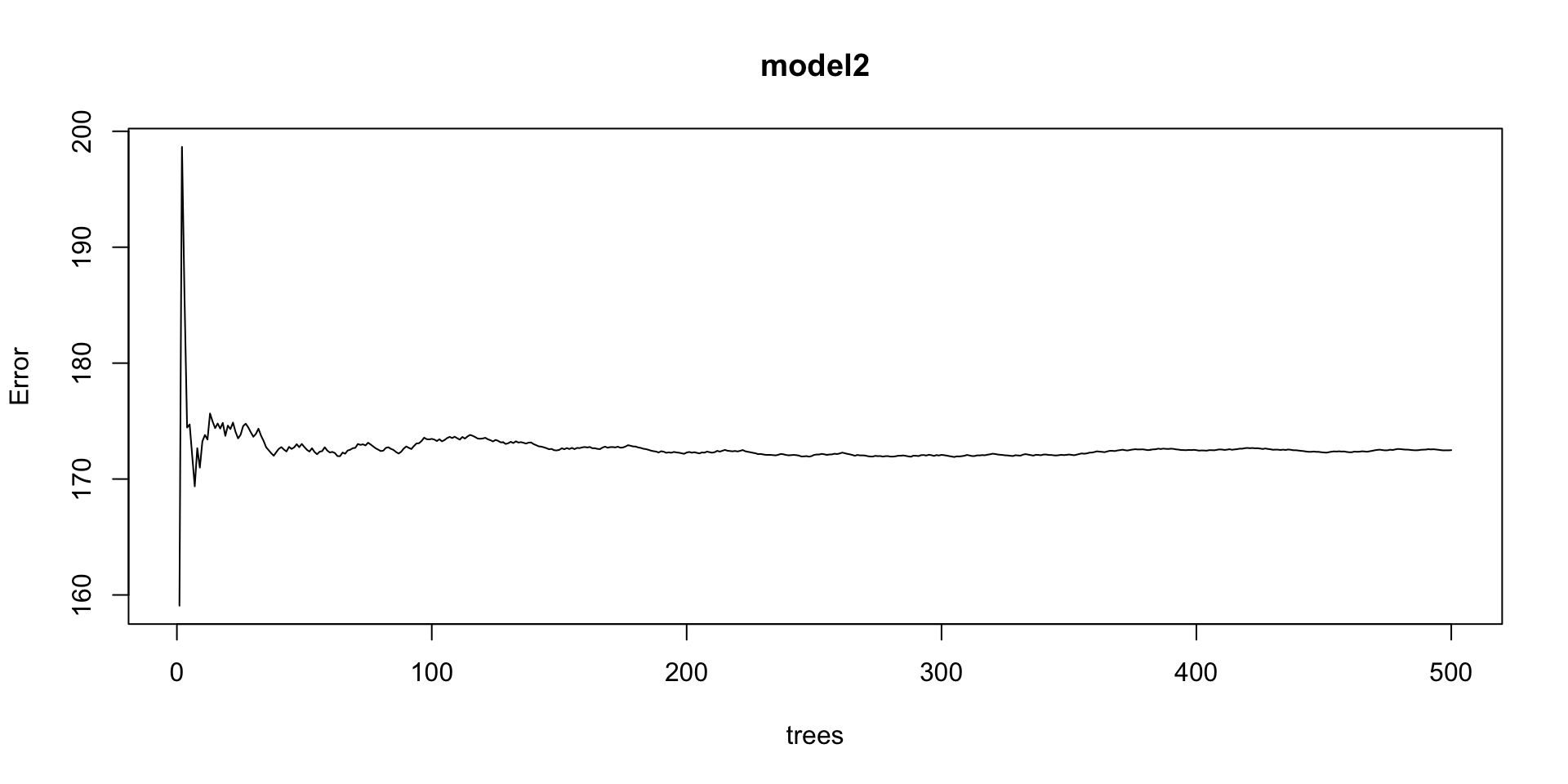
Regression Error estimates

  • The plot displays the MSE in relation to the number of trees generated.
plot(model2)

Random Forest for Regression

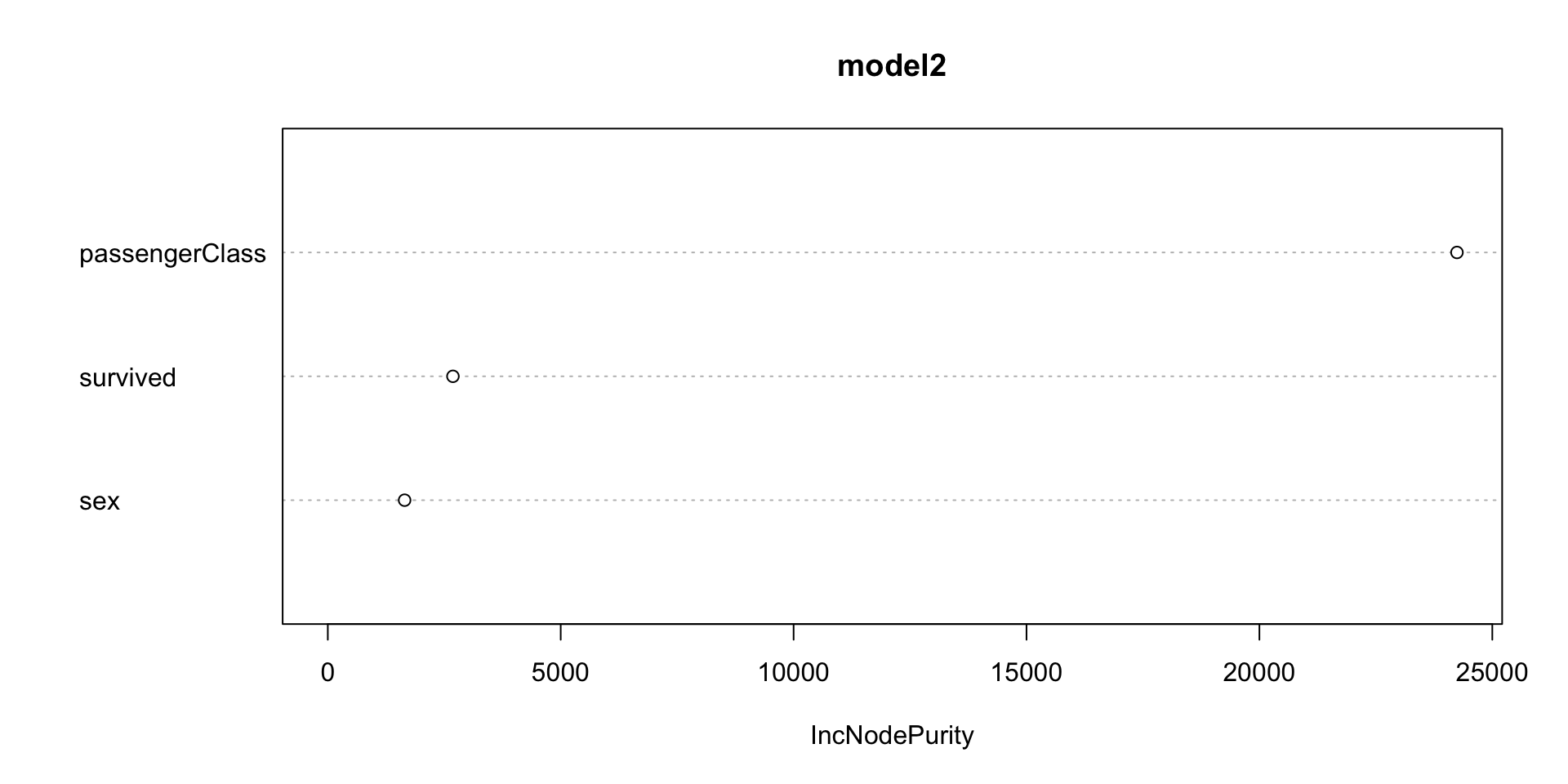
  • Variance importance for this model
varImpPlot(model2, sort = TRUE)

Take aways of the Random Forests

  • Improve accuracy on new data

  • Less sensitive to random changes in the data.

  • More relevance for low-frequency classifications.

  • Random forests give me a lot of the benefit of decision

  • trees with fewer downsides!